Looks like you're from another region or country...

scan to pay scan to pay scan to pay

bankpay is a simple, fast & secure method of payment

What is bankpay?

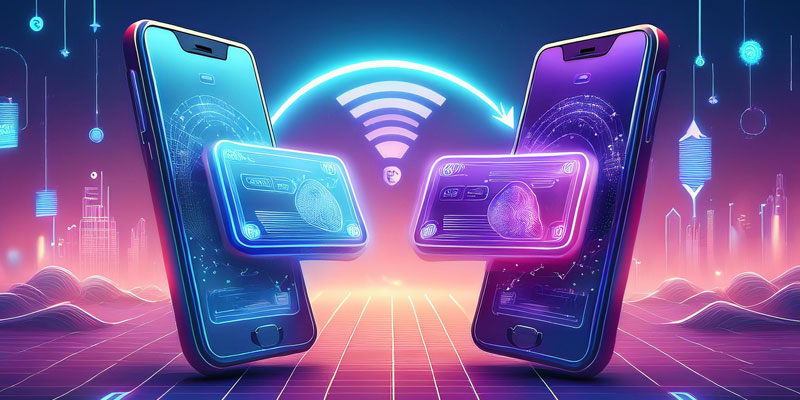
bankpay offers a payment method based on open banking that provides a smoother, faster, and ultra-secure way to pay at checkout using your mobile phone—making your transactions effortless and worry-free.

bankpay transforms checkout into a fast, secure, and hassle-free experience. With options like a simple checkout button, a QR code, or a payment link via mobile text, bankpay offers a straightforward way to pay directly from your bank account. Simply select your bank when you choose bankpay at checkout, and a secure link will open to authorize the payment. Once approved, you’re redirected back to complete your purchase—no need for tedious card details inputs, manual bank entries, cheques, and card number worries; bankpay is the safer, smarter alternative for all your online payments.

Why use bankpay?

bankpay makes every payment easy, secure, and hassle-free. Here’s why it stands out:

Enhanced Security

No need to share card details every time; transactions are bank-authorized, protecting your financial information.

Fast Checkout

QR codes, mobile text links, and simple checkout buttons, payments are streamlined for speed and convenience.

Direct Bank Payments

Skip manual entries and checks. bankpay lets you pay directly from your bank account with just a few taps.

A Trusted Alternative

A secure and convenient option for any payment, bankpay provides a safer way to handle your online transactions.

How bankpay works

At checkout, select the bankpay option to get started, then follow the easy steps (illustrated below) to securely connect with your bank. Approve the payment directly through your app, and you’re all set.

1

Scan

Scan the provided QR code

2

Connect

Connect to your bank

3

Authorize

Authorize the payment

4

bankpayit

How secure is bankpay?

Safer than credit card payments and other forms of online payments.

bankpay is designed with top-level security to ensure a worry-free payment experience. By directly connecting to your bank through secure, encrypted links, it eliminates the need to share sensitive card details or create additional accounts. Each transaction is authenticated through your banking app, which means only you control the authorization. With no personal financial information exchanged at checkout, bankpay prioritizes your privacy and keeps your payments protected from start to finish.

Secure Payments

Transactions are protected with bank-level encryption and authorization, ensuring your payment details remain safe and private.

Fast & Easy

With your own bank account linked, complete your purchase in seconds – no manual entries or complex steps needed.

Private & Direct

Pay directly from your bank without sharing card numbers or creating accounts, keeping your financial information discreet and secure.

Our latest articles

Frequently Asked Questions

If anything's unclear, the answer's probably in here.

When you’re ready to complete your purchase, select bankpay as your payment option. Choose the linked account you want to pay from and approve your payment. It’s as easy as that!

Yes, but we kept it simple. To use the bankpay app, you’ll first need to create a profile. Once your profile is set up, you can link an active bank account for making payments. At checkout, simply select one of your linked accounts and approve the payment instantly.

bankpay is highly secure as it relies on your bank’s own security systems to verify your identity. Each time you use bankpay, your bank handles authentication, ensuring your information stays protected. If you update your bank password, simply use the new one the next time you pay with bankpay.

bankpay supports a wide range of banks and financial institutions, with new ones added regularly. To make a transaction, you’ll need an active personal bank account with online banking enabled, as business accounts aren’t currently supported. If your bank isn’t listed, check back soon as our coverage continues to expand.

Contact

Send us a message

Contact Details